How to Use Prabgun to Study More Effectively
A practical study workflow — organize your classes, bring in your own material, test yourself, and let what you get wrong decide what you review next.
· Updated · Prabgun Team · 6 min read
Most studying fails in the same few ways. Rereading notes feels productive but tests nothing. Reviewing everything equally spends as much time on what you already know as on what you do not. And planning happens the night before, when there is no time left to act on it.
Good study habits are mostly about fixing those three things: test yourself instead of rereading, spend your time where you are weakest, and spread your review out instead of cramming it. This guide shows a workflow that puts those habits into practice with Prabgun. The habits are worth keeping whatever tools you use; the tools just make them easier to keep.
1. Put your classes in one place
Start by adding each class you are taking under Courses. A course is more than a label: it holds that class's schedule, assignments, quizzes, exams, mastery and grades, so everything about it lives in one place.
For each course, add what you already know is coming:
- Assignments with their due dates
- Exams with their dates and the topics they cover
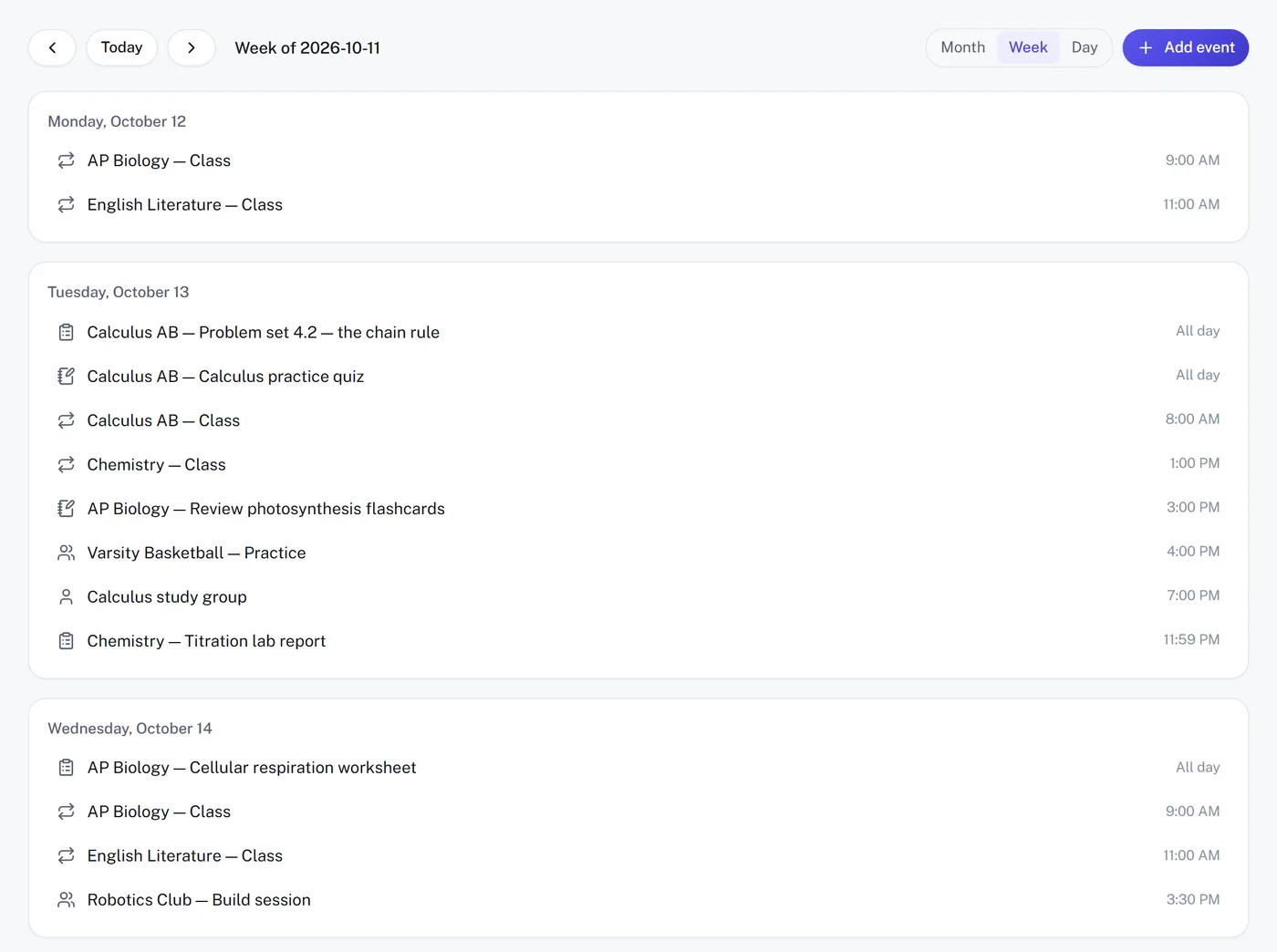
Assignments appear on your Calendar, and everything with a date, exams included, appears in My Day, which is what lets Prabgun tell you what to open first instead of leaving you to work it out.
2. Bring in the material your class actually uses
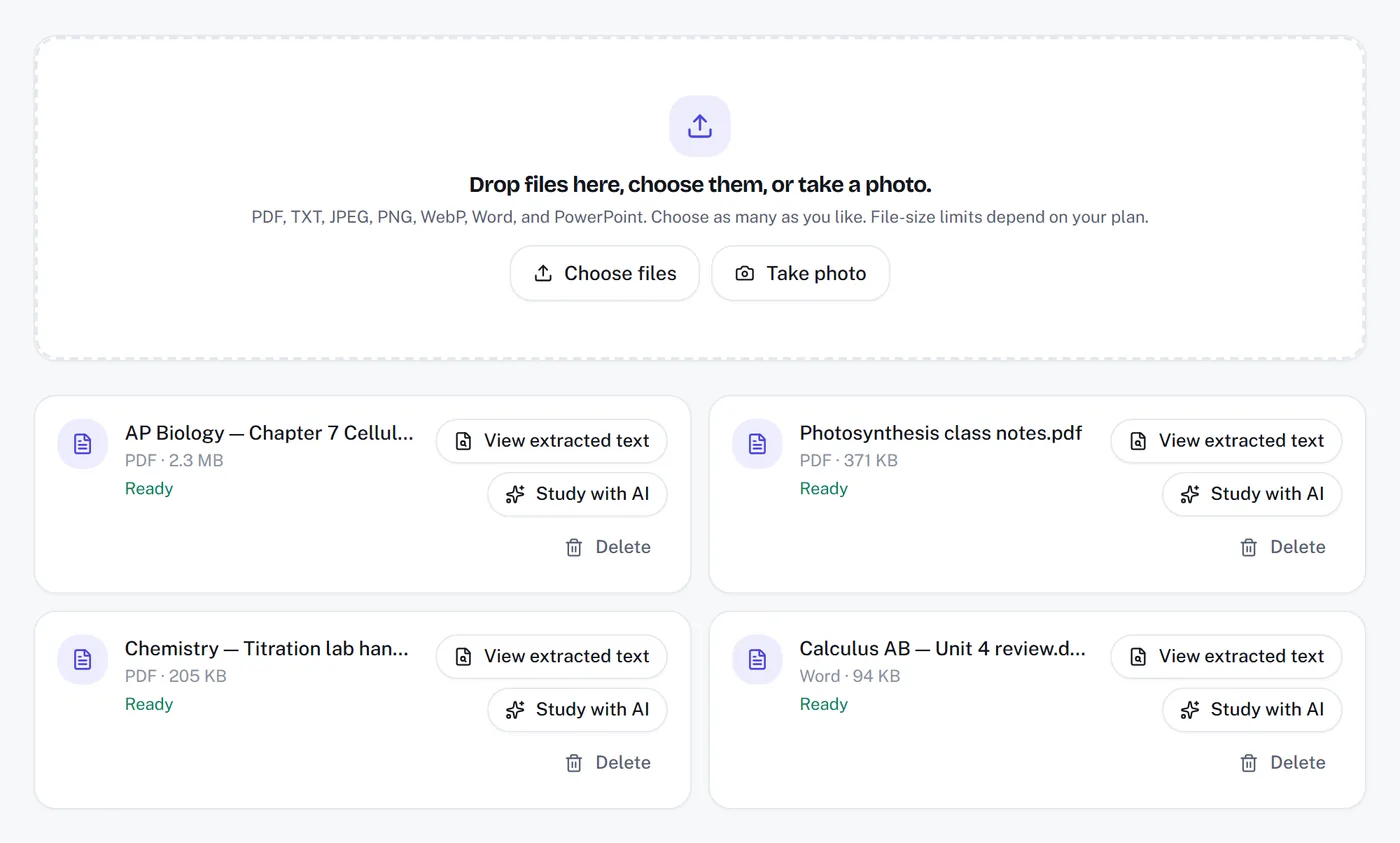
Studying from your own class material matters, because it matches what your teacher emphasizes and the way they phrase things. Upload it once to Materials:
- class slides or readings saved as PDF
- notes or handouts in Word (.docx)
- slide decks in PowerPoint (.pptx)
- plain TXT notes
- photos or screenshots of handwritten notes or a whiteboard, as JPG, PNG or WebP
When a material says it is ready, you can study from it again and again without pasting anything. If a file is large, check your plan's upload size first — the pricing page lists it.
3. Use AI Study to make something you can practice with
In AI Study, choose a tool, choose your material, set the level and press Create. Not every tool suits every moment, so match the tool to the job:
- Explain topic or Summarize when you are meeting material for the first time and need the shape of it.
- Study guide or Key concepts when you want an organized overview to study from.
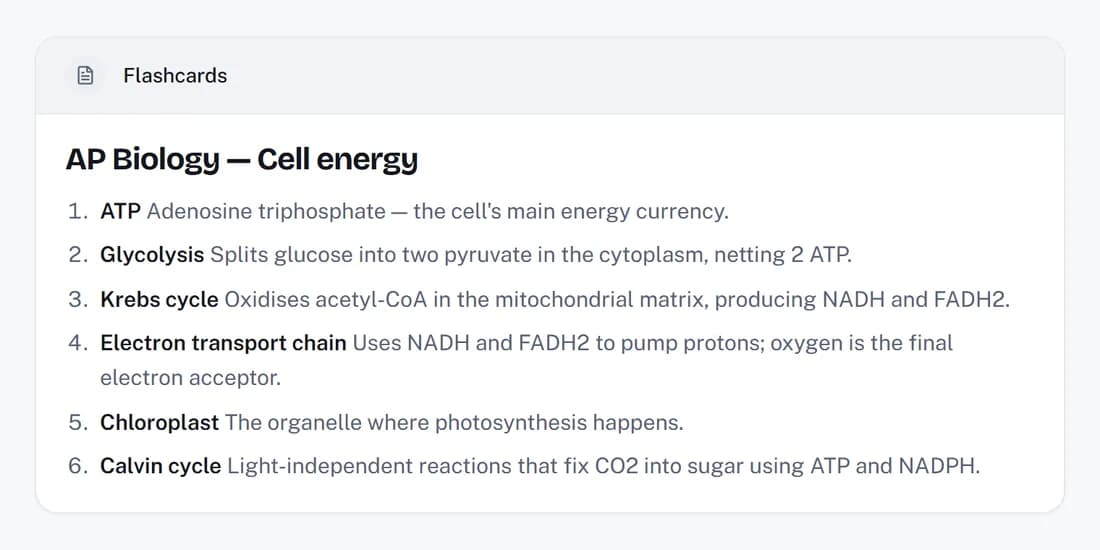
- Flashcards for facts, terms and definitions you need to recall on demand.
- Quiz Study Document or Practice Test Study Document when you want questions to work through before an exam.
- Study plan when you have an exam coming and need the topics ordered across the days you have left.
Everything you make is saved to Saved work automatically, so you can come back to it later instead of making it again. Each Create uses one of your monthly AI generations, which is another reason to reuse what you have saved.
A generated explanation is a starting point, not the final word. Check anything that matters against your class notes and textbook, especially if it looks different from how your teacher presented it.
4. How do I use flashcards to review for a test?
Answer each card before you flip it, keep the ones you miss in rotation, and come back to the deck over several days. Flashcards work because they make you retrieve an answer rather than recognize it. To get the most from them:
- Say or write your answer before you flip the card. Recognizing the right answer when you see it is not the same as knowing it.
- Keep the cards you miss in rotation, and put the easy ones aside sooner.
- Come back to a deck over several days rather than going through it many times in one sitting.
If you prefer paper, open the deck in Saved work and download it as a PDF. Choose which edge your printer flips on before downloading, so the answers line up on the back when you print double-sided.
5. How do quizzes show me what to study next?
Course quizzes are marked, and what you get wrong steers the next round. Inside each course, the Quizzes tab has quizzes you answer and get marked on. Your answers feed the course's Mastery tab, which shows how well you know each topic, and later quizzes lean toward what you got wrong. Quizzes saved in Saved work can be taken from there too.
This is the loop that makes studying efficient: you test yourself, your mistakes show you where you are weak, and your next round of practice goes there. After a quiz, look at the Mastery tab before deciding what to study next — it is a better guide than a feeling of what you “probably” know.
6. Plan your study time before you need it
The Study Planner holds your study tasks and homework across every course. The most useful habit here is small: when you learn an exam date, add it to the course straight away, then add a few shorter study tasks spread over the days before it. Short sessions spread out are easier to keep up than one long one, and they give material time to settle between reviews.
My Day then brings together what is due and suggests what to work on next under Study Priorities, so each session starts with a decision already made.
7. What do I need on the work that is left?
Prabgun works it out from a target grade. In a course's Grades tab, set up the grading categories your class uses and add each graded item. Set a target grade, and Prabgun works out what you need on the work that is still ungraded — useful for deciding where extra effort will actually count before the end of term.
8. Tune Prabgun to how you learn
Under Profile, Learning preferences let you say how you like things explained — for example, showing the steps in maths. These only reach AI Study when you turn them on under AI personalization, and everything there is off until you choose otherwise. If an explanation is pitched at the wrong level, changing the difficulty in AI Study is often the quickest fix.
What does a good weekly study routine look like?
Short, regular self-testing with a little planning. Putting it together, a sustainable week might look like this:
- After each class: upload or photograph your notes to Materials.
- Twice a week: make flashcards or a quiz from the week's material, and work through it without looking at the answers first.
- Once a week: take a quiz in each course, check the Mastery tab, and spend your next session on the weakest topic.
- Whenever you learn a date: add the exam or assignment to its course, and a few study tasks before it.
None of this depends on any one tool, and none of it needs to be perfect. Consistent, honest self-testing spread over time is what makes the difference.
Get started
If you already have an account, sign in and open AI Study or Materials to try it on a class you are taking now. If you are new, create a free account — every plan includes the full study toolkit, and paid plans raise the limits.
For more on the individual tools, see flashcards, quizzes and practice tests and study guides.
To see everything else Prabgun includes, read Everything You Can Do With Prabgun.
Try it yourself
Bring your notes and try the workflow on a class you are taking now.
Start studying freeRelated articles
Everything You Can Do With Prabgun
A tour of Prabgun's study tools, school organization, Application Builder and Ask Prabgun — what each one does, where it lives, and what differs by plan.
· Prabgun Team · 6 min read
How Prabgun Helps You Organize Your College Applications
How Application Builder keeps each college application's requirements, essays, deadlines and documents in one place — and why you, not Prabgun, submit it.
· Prabgun Team · 6 min read