Everything You Can Do With Prabgun
A tour of Prabgun's study tools, school organization, Application Builder and Ask Prabgun — what each one does, where it lives, and what differs by plan.
· Updated · Prabgun Team · 6 min read
Prabgun is a workspace for the whole academic week: the notes you study from, the classes and deadlines you are juggling, and — when the time comes — the college applications you are preparing. This guide walks through what is in it, where each tool lives, and what changes between plans, so you can decide what is worth trying first.
Once you sign in, everything is in the sidebar on the left, grouped into Study, School and Library, with your profile and subscription at the bottom. The Go to… box at the top of every page searches those destinations; press Ctrl+K, or ⌘K on a Mac, to open it from anywhere.
Where do I start in Prabgun?
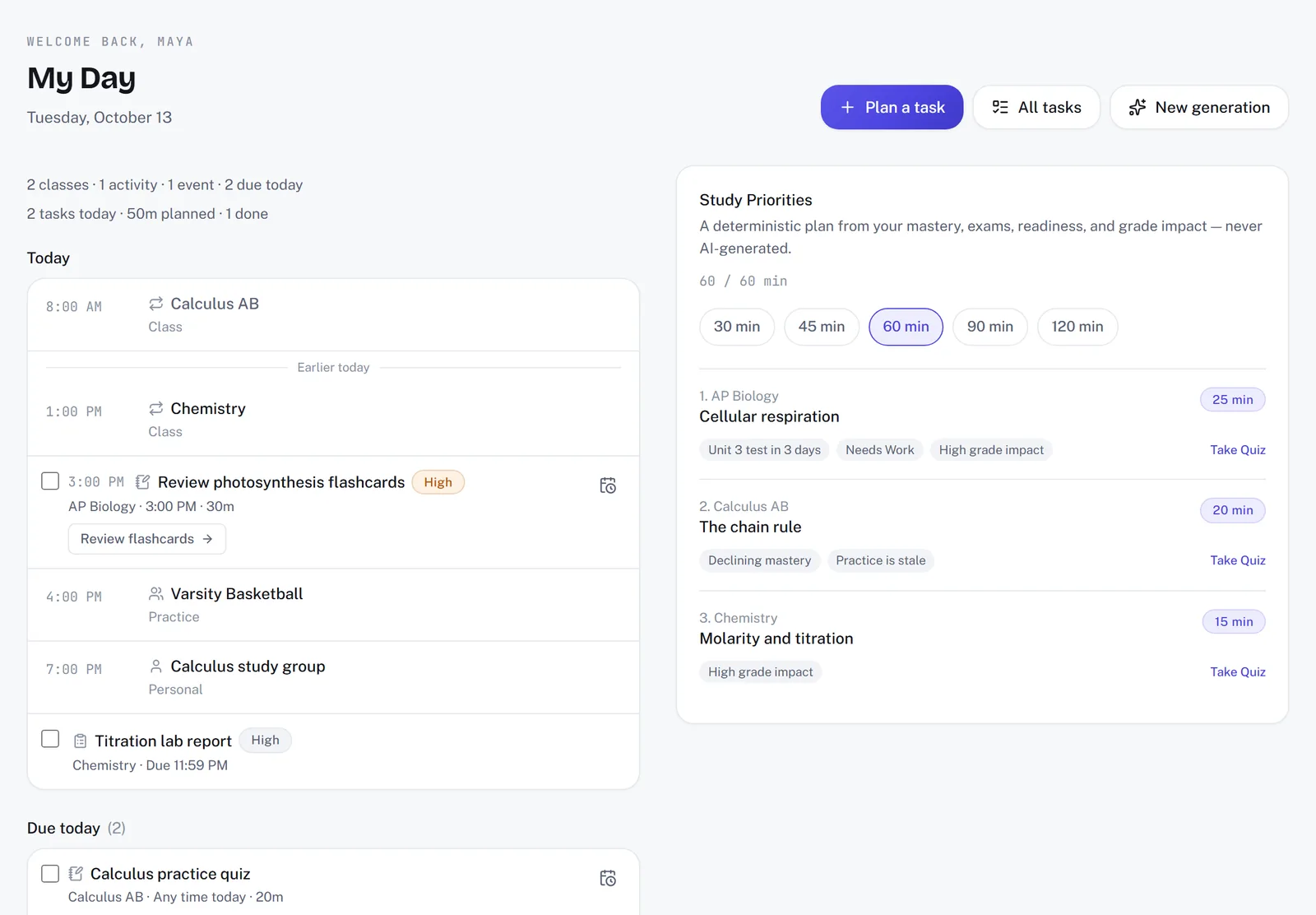
Start in My Day, the page you land on after you sign in. It pulls together what is due, what to study next under Study Priorities, how many AI generations you have left this month, and links back to the last things you worked on. It reads from everything else in Prabgun, so the more you put into your courses and planner, the more useful it becomes.
What can I make from my class notes?
In AI Study, your notes can become flashcards, quiz questions, a practice test, a study guide and more. You choose a tool, add your material, set the level, and press Create. The tools are:
- Explain topic — a clear explanation of a concept
- Summarize — the key points of a longer text
- Study guide — an organized guide to a topic
- Flashcards — a deck built from your material
- Quiz Study Document — quiz questions on your material, to read and work through
- Practice Test Study Document — a practice test written from your material
- Key concepts — the ideas that matter most
- Study plan — your material broken into study sessions, in order, with a time estimate for each
You can paste notes straight in, or choose something you have already uploaded to Materials. You choose the difficulty, and the number of items where a tool asks for one. The result appears as it is written and is saved to Saved work automatically.
Each press of Create uses one of your plan's monthly AI generations, and your email address needs to be verified before a generation will run.
Which files can I study from?
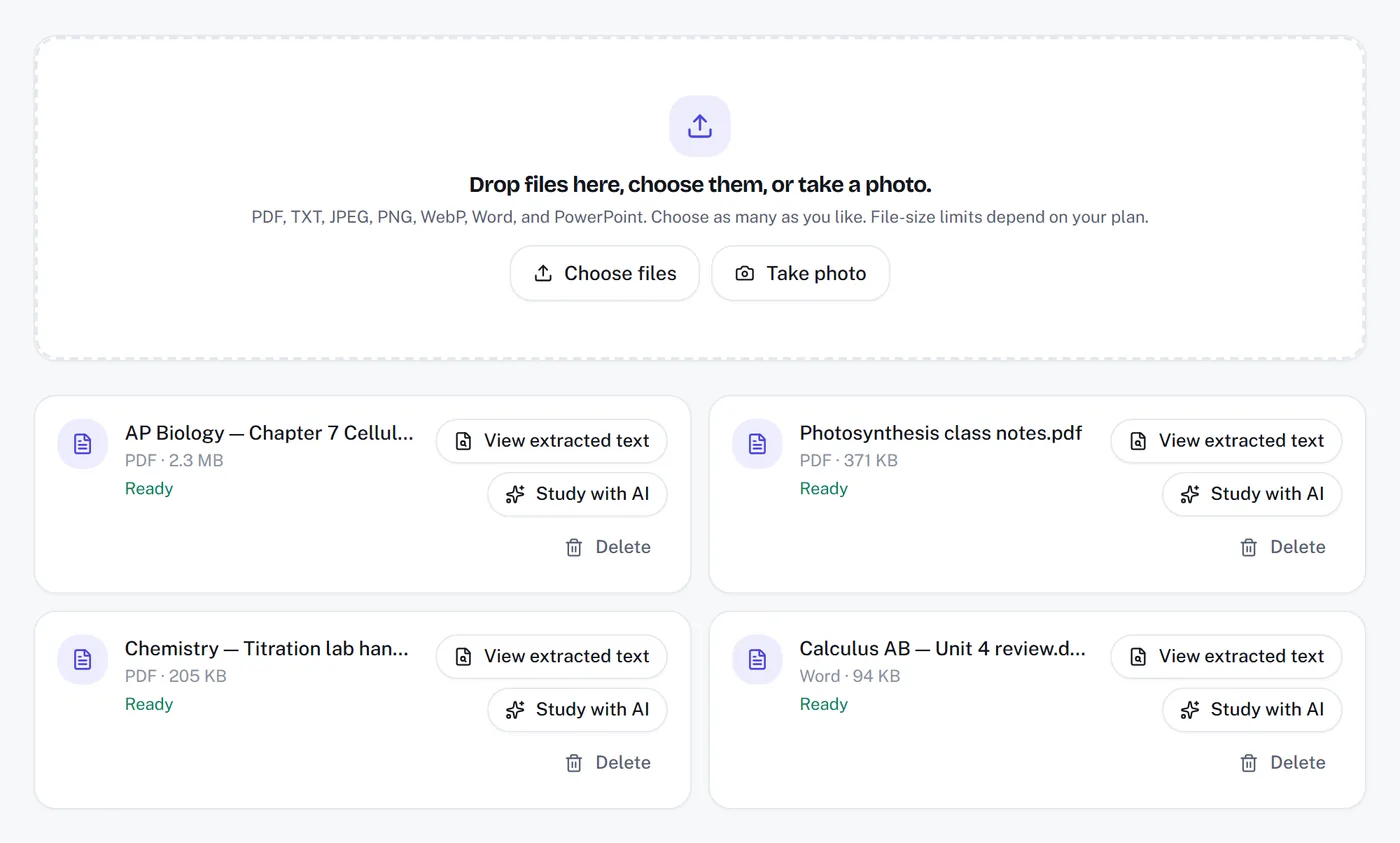
PDFs, Word documents, PowerPoint presentations, text files and photos of your notes. Upload them once to Materials, where your files live, so you do not have to paste the same notes every time. You can upload:
- PDF files
- Word documents (.docx)
- PowerPoint presentations (.pptx)
- TXT text files
- Photos or screenshots of your notes as JPG, PNG or WebP
Each document you upload can be up to 4 MB on Free, 10 MB on Plus and 25 MB on Pro, and each photo up to 6 MB on Free, 15 MB on Plus and 20 MB on Pro.
Once a material says it is ready, you can choose it in AI Study under “Add your material” and generate from it as many times as you like — on its own, or together with other materials. How much one generation can use depends on your plan — up to 6 MB of files in total on Free, 10 MB on Plus and 25 MB on Pro, whether that is one file or several — and everything you upload counts toward your plan's storage.
Word documents and PowerPoint presentations are supported as study material. They are not among the file types you can attach to a college application in Application Builder; for that, use a PDF, an image or a text file.
Saved work: your library
Everything AI Study makes is kept in Saved work, newest first. From there you can open any item in full, take a saved quiz, download it as a PDF to print, or email it to yourself or a contact who has confirmed their address. For flashcards, you can choose which edge your printer flips on, so the answers line up when you print double-sided.
Courses, grades and exams
Courses gives each class its own home, with tabs for its schedule, assignments, quizzes, exams, mastery, study plan and grades.
- Assignments you add with a date show up on your Calendar and in My Day. Exams stay with their course, and My Day shows them as they get close.
- Quizzes inside a course are ones you actually answer and get marked on. Your answers feed the course's Mastery tab, which shows how well you know each topic, and later quizzes lean toward what you got wrong.
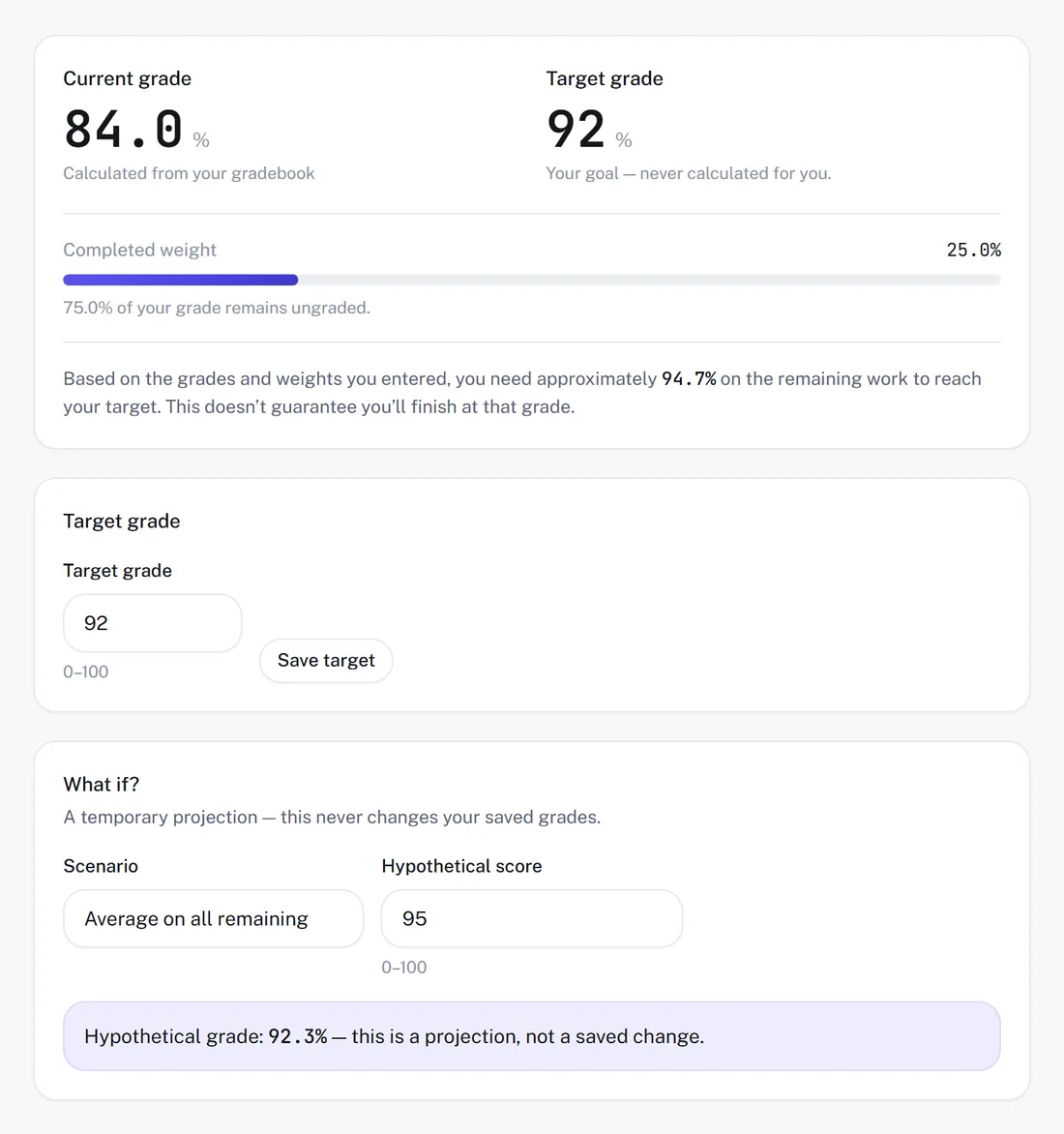
- Grades lets you set up the course's categories and add the items in each one to see where your grade stands. Set a target grade, and Prabgun works out what you need on the work that is still ungraded.
Planning your time
The Study Planner holds your study tasks and homework across every course, with due dates. The Calendar puts classes, deadlines, study tasks, activities and your own events on one set of dates. Student Life keeps track of clubs, sports, volunteering and jobs, with your role, the organization and the dates alongside — useful on its own, and useful again when an application asks about your activities.
Your profile and learning preferences
Your profile holds your personal information, accessibility settings, academic details, learning preferences and goals. Two settings shape what AI Study gives you back:
- Learning preferences describe how you like things explained — for example, showing the steps in maths.
- AI personalization decides which parts of your profile a generation may use. Everything is off until you turn it on, and you can turn it off again whenever you like.
AI memory keeps things you have asked Prabgun to remember about how you study, and you can edit or clear them at any time.
Can Prabgun help with college applications?
Yes, with organizing and preparing them. When you are applying to colleges, Application Builder lets you prepare a whole application in Prabgun, section by section — your information, program details, essays, requirements, deadlines and documents — and then check what is still missing before you submit it. You submit, not Prabgun: the application goes to the school through its own official application system, sent by you. How Prabgun Helps You Organize Your College Applications covers it in detail.
Ask Prabgun: help finding your way around
Ask Prabgun is built into the top bar once you sign in. Ask it where something is or how to use a feature — “how do I make flashcards?” or “where do I add an exam?” — and it answers with the steps, from help written by the Prabgun team. It is there on every plan.
What is the difference between Free, Plus and Pro?
The limits, not the tools. Every plan — Free, Plus and Pro — includes the full study toolkit: AI Study, Materials, Saved work, Courses, the Study Planner and the rest. What changes is the limits:
- AI generations each month: 20 on Free, 300 on Plus and 1,500 on Pro.
- Application Builder applications per admissions cycle: 2 on Free, 7 on Plus and unlimited on Pro. Unlimited applications do not mean unlimited AI generations or storage.
- Document upload size and total storage both rise with each plan.
The pricing page lists every plan's current prices and limits side by side.
Where to go next
If you are new, the quickest way to see what Prabgun can do is to upload a set of notes from a class you are taking now and make a set of flashcards from it. How to Use Prabgun to Study More Effectively walks through a complete study workflow, step by step.
Create a free account to get started — no card required.
Try it yourself
Every plan includes the full study toolkit. Paid plans raise the limits.
Compare plansRelated articles
How Prabgun Helps You Organize Your College Applications
How Application Builder keeps each college application's requirements, essays, deadlines and documents in one place — and why you, not Prabgun, submit it.
· Prabgun Team · 6 min read
How to Use Prabgun to Study More Effectively
A practical study workflow — organize your classes, bring in your own material, test yourself, and let what you get wrong decide what you review next.
· Prabgun Team · 6 min read